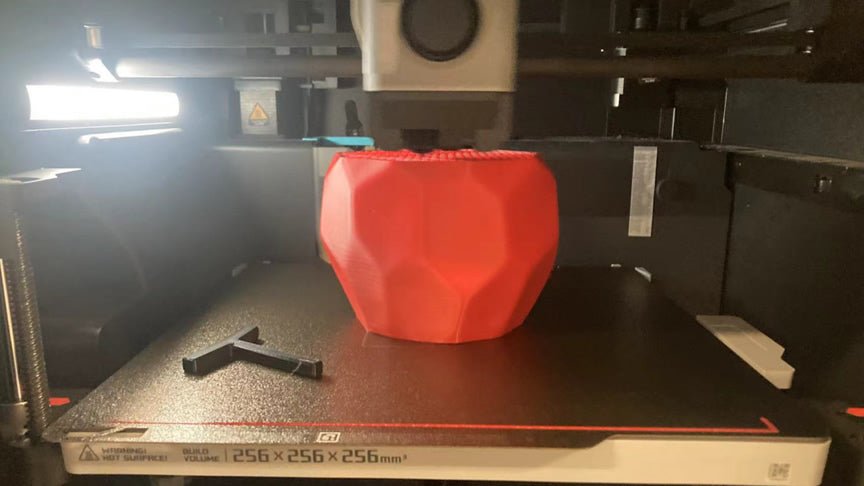
The effect of speed on 3D printing

1. Print quality
Too fast speed: It may lead to poor adhesion between layers, layer separation, surface roughness and other problems, affecting the overall print quality.
Moderate speed: It can ensure that the material has enough time to adhere to the previous layer, thus improving the print quality, especially for better performance on complex details and curved surfaces.
Too slow speed: Although it can improve the quality, it may lead to over-extrusion of the material and phenomena such as buildup and drawing on the surface.
2. Printing time
Fast: Significantly reduces print time, suitable for high volume production and rapid prototyping, but may sacrifice some quality.
Slow: Printing time increases significantly, more suitable for high precision and complex modeling.
3. Material properties
Speed and temperature balance: Different materials have different needs for the combination of speed and temperature, too fast or too slow may lead to the material fluidity and solidification characteristics are not adapted to affect the printing effect.
4. Equipment performance
Hardware limitations: Printing speeds that are too fast may exceed the physical capabilities of the equipment, leading to accelerated wear and tear of mechanical parts and affecting equipment life and stability.
Vibration problems: too fast a speed may cause the printer to vibrate, leading to distortion of prints.
5. Accuracy
Detail retention: Slower print speeds allow for better detail retention, especially for small, intricate parts, while faster speeds may result in lost or blurred detail.
The faster the printer speed setting, the more likely the 3d printout is to fail
1. Insufficient curing of the material
When printing with fused deposition modeling (FDM), the material takes some time to cool and cure. If the printing speed is too fast, the material is not fully solidified and the next layer of material is extruded, resulting in insufficient interlayer adhesion and easy interlayer separation or collapse.
2. Reduced the interlayer adhesion
High speed may lead to the material not being able to fully adhere to the previous layer, especially in complex shapes or overhanging parts, which can lead to a fragile structure that is prone to fracture or deformation during or after the printing process.
3. Vibration and mechanical stress
High speeds can increase mechanical vibration and stress in the printer, especially during sharp turns or rapid movement. This vibration can affect the precise positioning of the nozzle, resulting in deviation from the print path, errors or wrong layer.
4. Loss of detail
When printing at high speeds, the print head moves too fast and may not accurately reproduce the intricate details of the model, especially small or complex geometries, resulting in poor surface quality and detail of the printed item.
5. Uneven material extrusion
Rapid movement of the machine may result in the extruder not being able to feed the material evenly, with clogging, buildup, or insufficient material. This can lead to uneven layer thickness, affecting print quality and even causing print failures.
6. Inadequate cooling
Fast printing makes the cooling fan unable to keep up with the cooling needs of the material, leading to overheating, distortion or excessive fluidity of the upper layer of the printed item, affecting the overall stability of the model.

How to solve this problem from the material or other ways
1. Choose a material suitable for high speed printing
Modified PLA (e.g. PLA+): Compared with ordinary PLA, this material has better interlayer adhesion and cooling performance at high speeds.
PETG: This material exhibits better adhesion and flexibility at high printing speeds, reducing the risk of interlayer separation.
ABS: While ABS typically requires higher temperatures and slower speeds, certain formulations of ABS can support faster print speeds while maintaining quality.
2. Use of advanced cooling systems
More powerful cooling fans: Improve cooling efficiency to help materials solidify quickly at high speeds, reducing warping and drawing.
Multi-fan system: Evenly distributes cold air to improve cooling effect.
3. Optimized printing parameters
Segmented speed control: Use faster speeds in simple parts of the model and lower speeds in complex parts to improve overall efficiency.
Increase Nozzle Temperature: A moderate increase in nozzle temperature can help the material flow and adhere faster, but you need to avoid too high a level that causes material deformation.
4. Use larger diameter nozzles
Larger nozzles: Such as 0.6mm or 0.8mm nozzles can extrude more material at higher speeds while maintaining interlayer adhesion and improving printing efficiency.
5. Increased printer stability
Structural Reinforcement: Reduce vibration during high-speed printing by reinforcing the printer frame or using anti-vibration pads.
Linear Guide: A more stable and precise motion control system reduces errors and improves printing accuracy at high speeds.
6. Improved slicing software settings
Dynamic Acceleration Control: Optimize acceleration and deceleration settings in the slicing software to reduce vibration and layer errors caused by fast movement.
Adaptive Layer Thickness: Use different layer thickness settings, thin layers for detailed parts and thick layers for large areas, to increase print speed while maintaining quality.
Outdoor placement and storage of 3D filament materials like PLA, ABS, TPU, PETG, etc.
Is 3D printed filament UV protected? How to make 3D finished models UV resistant as well?
Related Posts

Why UJOYBIO 3D Filament is a Game-Changer for 3D Printing

Why UJOYBIO 3D Filament Is a Reliable Choice for Professional Prints

UJOYBIO PETG Filament: The Ideal Material for Functional Prototypes

Why UJOYBIO 3D Printer Filament Is a Top Choice for Modern Creators

Why Ujoybio3D Is Revolutionizing Affordable 3D Printing

UJOYBIO --Brand Core Philosophy: quality and affordable
Innovative 3D Printer Filament: Paving the Way Toward a Sustainable Future